An Opportunity is a question the platform has identified as relevant for your product but cannot yet answer, because there aren't enough facts in your sources to generate a reliable answer.
Opportunities are not broken FAQs. They're a roadmap: a list of questions your customers are likely asking, waiting for you to provide the source material to answer them.
💡 Think of Opportunities as a content wishlist generated by the platform. The more sources you add, the more Opportunities get resolved automatically.
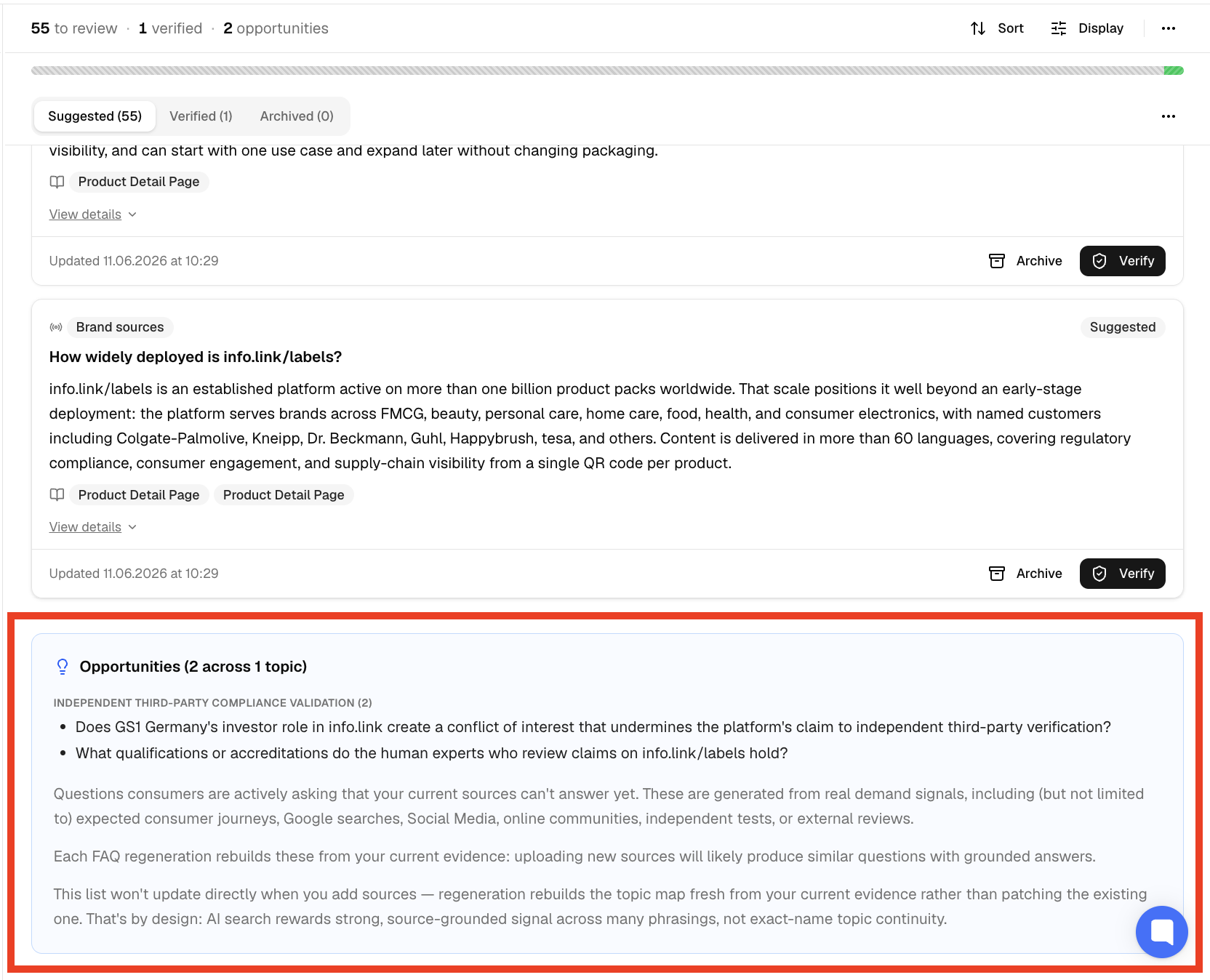
There are two places where you can spot Opportunities at a glance:
Suggested tab: scroll to the bottom of your suggested FAQs. Opportunities appear there, below the regular suggestions
Topics sidebar: a blue +X badge next to a topic name indicates how many Opportunities exist for that theme

💡 The blue +X badge is the quickest way to see where content gaps exist without opening every topic.
The platform is built on a fact-first principle: every answer must trace back to a specific source. This creates an audit trail: you can always see exactly where each answer came from.
⚠ You cannot type an answer directly into an Opportunity. A source must exist first.
Identify the question you want to answer
Create or find a source that contains the answer (a webpage, a PDF, or pasted text)
Add the source to the platform
Trigger a Rerun: the system will prioritise open Opportunities when processing new sources
The list of Opportunities will never be empty. The system continuously identifies new potential questions. Treat them as inspiration, not a to-do list.
A practical approach:
Scan your Opportunities periodically
Pick the ones that are most commercially valuable
Create source material for those specific questions
Leave the rest for later
✅ Even acting on just a few high-value Opportunities per session makes a meaningful difference to your coverage.
❓ Why can't I just type an answer for an Opportunity?
The system needs a source to generate an answer from. This is by design. It ensures every answer is factually grounded and traceable.
❓ Do I have to work through all the Opportunities?
No. They're suggestions, not requirements. Focus on the ones that matter most to your business.
❓ What happens after I add a new source?
You'll need to trigger a Rerun. The system will then check which Opportunities can now be answered with the new material.